
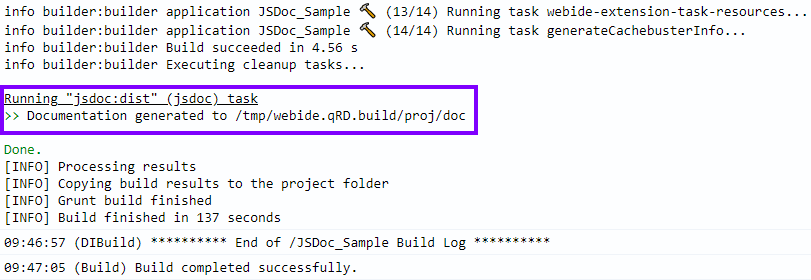
In old Web IDE projects grunt is only used in conjunction with the @sap/grunt-sapui5-bestpractice-build package. Unfortunately, this causes problems in combination with other packages like grunt-jsdoc.
If other packages or tasks are used in Gruntfile.js, the @sap/grunt-sapui5-bestpractice-build task and all dependencies should be commented out.
Adjust the package.json
Add the package grunt-jsdoc to your package.json.
{
	"name": "GBIS_Account",
	"version": "0.0.1",
	"description": "",
	"private": true,
	"devDependencies": {
		"@sap/grunt-sapui5-bestpractice-build": "1.4.15",
		"grunt-jsdoc": "2.4.1"
	}
}
Adjust the Gruntfile.js
- Load the
grunt-jsdoctask - Configurate the
grunt-jsdoctask. (For more information see grunt-jsdoc – README) - Register the
grunt-jsdoctask - comment out the relevant
@sap/grunt-sapui5-bestpractice-buildlines
module.exports = function (grunt) {
	"use strict";

	grunt.loadNpmTasks('grunt-jsdoc'); //load jsdoc task
	//grunt.loadNpmTasks("@sap/grunt-sapui5-bestpractice-build");

	grunt.initConfig({
		jsdoc: { //configurate jsdoc task
			account: {
				src: [
					'webapp/Component.js',
					'webapp/controller/*.js'
					//... add your files here
				],
				options: {
					destination: 'doc'
				}
			}
		}
	});

	grunt.registerTask("default", [
		"jsdoc" //register jsdoc task
		// "clean",
		// "lint",
		// "build"
	]);
};
That’s it. Before deploying the application, remember to comment everything @sap/grunt-sapui5-bestpractice-build related back in and comment out the other tasks.
If your application already has a file called ui5.yaml then forget everything you have read and check out this blog post: How to generate an JSDoc documentation for your UI5 application in the SAP Web IDE (UI5 Tooling & Grunt)