
Sometimes it is necessary to be able to fully trace which person changed which data in a table and when.
In SAP there are two options for tracking changes in tables:
- utilizing table logging
- change documents
In this blog post we will have a detailed look at change documents. We will explore how to create a change document for a customer-specific table and which requirements need to be met to ensure accurate tracking.
Let’s get started!
Requirements
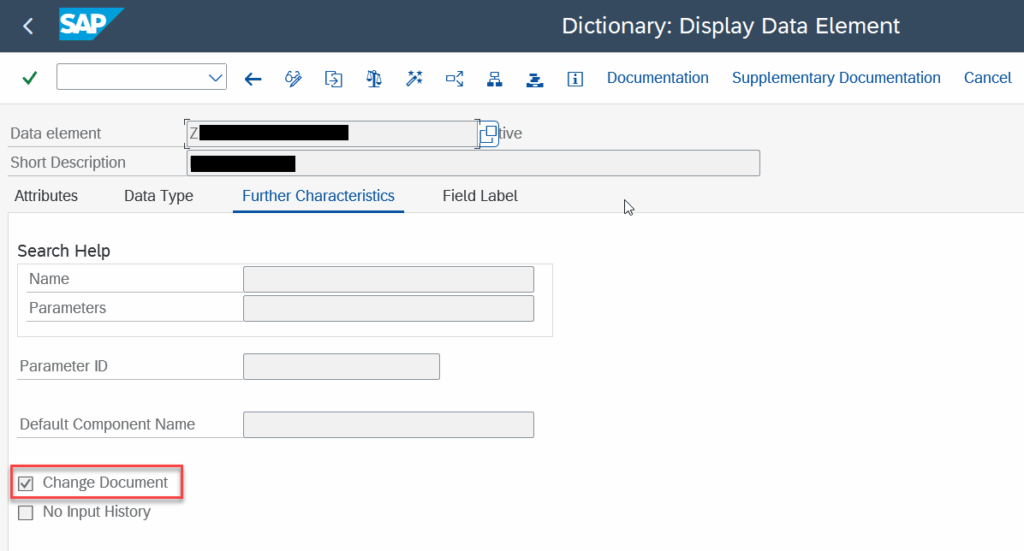
When creating a table you define data elements for the fields. If you want to have the changes being logged for a specific field in your table you have to make sure that the data element of the field has the check box “Change Document” selected under Further Characteristics. Without this setting, changes to the field will not be tracked, and you will not be able to trace historical data changes.
Create a change document object (SCDO)
That’s all, let’s start with the creation of a change document
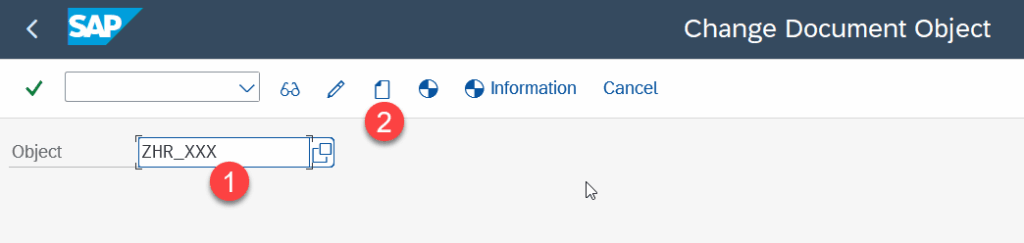
- Open the transaction SCDO
- Enter the name of the change document object
- Press on the “Create” button.
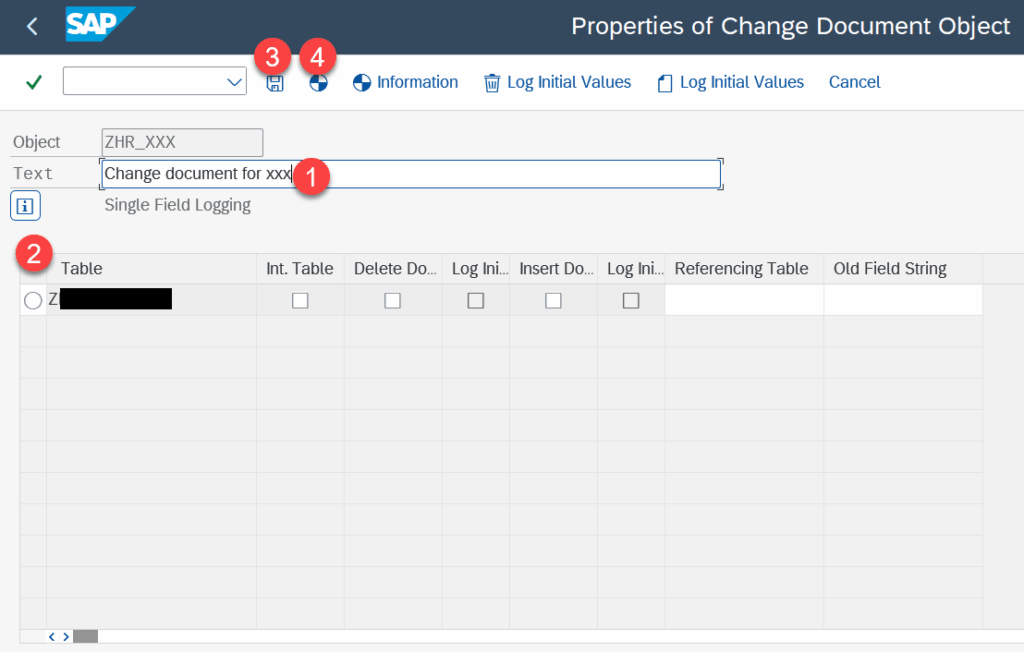
- Enter a description
- Add the tables that should be tracked by this change document
- Press “Save”
- Press “Generate change document object”
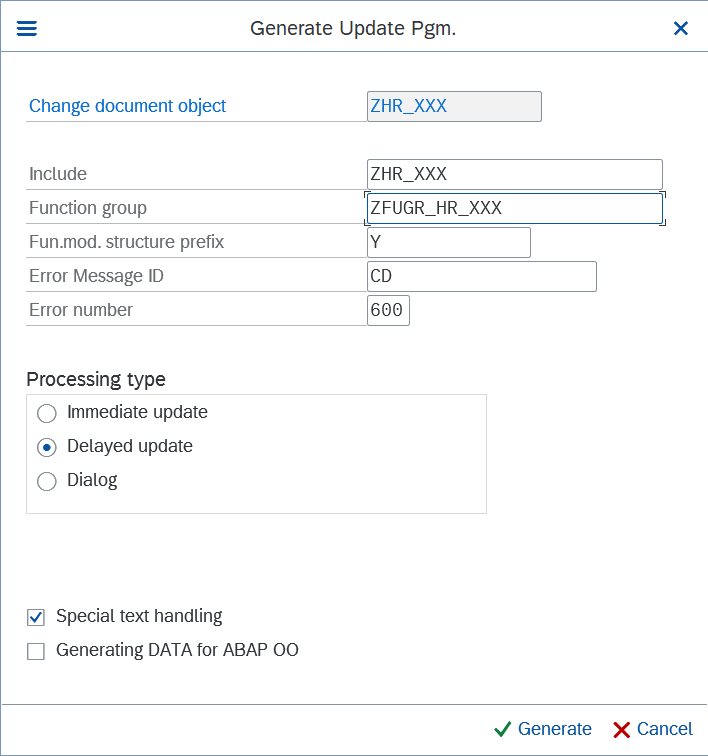
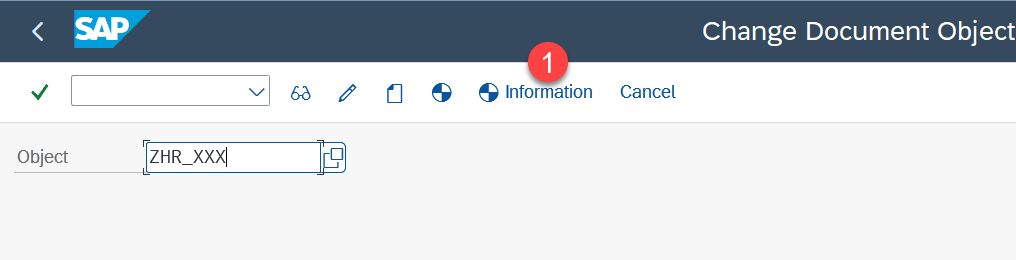
A screen will open where you need to define the name of the function group that will contain the function modules etc.
We done! – The final screen will contain information about the generated function modules and function groups that are created for handling change document updates. You can always view this information again and again by pressing on the button “Generation Information”.
Time to code
The change document and the necessary function module is created – time to code.
The function module needs to be called on every data operation to ensure a complete recording of data changes. For that let’s create a method that we can use for every data operation.
methods WRITE_CHANGE_HISTORY

importing

!IV_ACTION type CDPOS-CHNGIND

!IS_NEW_DATA type ZHR_XXX optional

!IS_OLD_DATA type ZHR_XXX optional .
METHOD write_change_history.

DATA: lv_objid TYPE cdhdr-objectid,

lt_cdtxt TYPE TABLE OF cdtxt.


lv_objid = COND #( WHEN is_new_data IS NOT INITIAL

THEN |{ is_new_data-pernr }{ is_new_data-var1 }{ is_new_data-var2 }|

ELSE |{ is_old_data-pernr }{ is_old_data-var1 }{ is_old_data-var2 }| ).


CALL FUNCTION 'ZHR_XXX_WRITE_DOCUMENT'

EXPORTING

objectid = lv_objid

tcode = sy-tcode

utime = sy-uzeit

udate = sy-datum

username = sy-uname

n_zhr_xxx = is_new_data

o_zhr_xxx = is_old_data

upd_zhr_xxx = iv_action

TABLES

icdtxt_zhr_xxx = lt_cdtxt.


ENDMETHOD.
now we can just use the method to write the change document
write_change_history( iv_action = 'N' is_new_data = ls_xxx ).

write_change_history( iv_action = 'U' is_new_data = ls_xxx is_old_data = ls_xxx_old ).

write_change_history( iv_action = 'D' is_old_data = ls_xxx_old ).
That’s it we done. To read out the recorded logs simpl call the function module CHANGEDOCUMENT_READ_ALL or select the data manually via CDHDR and CDPOS.